
Building a Cluster
How to configure your Ganeti cluster
- Guido Trotter <ultrotter@google.com>
- Helga Velroyen <helgav@google.com>
Latest version of these slides
Please find the latest version of these slides at:
Overview
- Each node
- Configure the OS & disks
- Configure networking
- Load software
- The cluster
- Initialize the cluster
- Add the nodes.
- Test
- Profit!
Preparing the nodes
- Install the nodes with a minimal install of the host OS (eg. Debian)
- Setup storage:
- LVM/DRBD: Leave enough space for a big LVM volume group for Ganeti
- File/sharedfile: Create / mount directory on each node.
- Set up the hostname as an FQDN
- (modify
/etc/hostnameand/etc/hosts)
- (modify
- Install Xen or KVM
- (DRBD only:) Install DRBD utils
- (pass
usermode_helper=/bin/trueandminor_count=NUMBERto the module)
- (pass
Configuring the replication network
- Choose between a physical interface or a dedicated vlan:
auto eth1
iface eth1 inet static
address 192.168.4.1
netmask 255.255.255.0
- or -
auto eth0.4
iface eth0.4 inet static
address 192.168.4.1
netmask 255.255.255.0
Configuring the instance bridges
- Example with dedicated vlan:
auto br905
iface br905 inet manual
bridge_ports eth0.905
bridge_stp off
bridge_fd 0
Configuring LVM
If you're not using the system's volume group initialize a VG for instances.
For example:
$ pvcreate /dev/sdb1
$ pvcreate /dev/sdc1
$ vgcreate xenvg /dev/sdb1 /dev/sdc1
Installing Ganeti
- Use packages!
- These exist for Debian, Ubuntu, Centos+RHEL, Suse.
- If you need customized ones create them, and put them in a local repository.
- Install ganeti
- Install the instance OS definition
ganeti-instance-debootstrap, organeti-instance-image
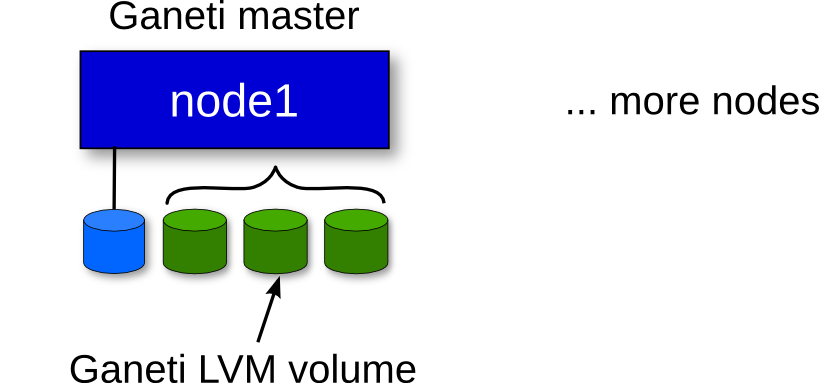
Initializing your cluster
The node needs to be set up following our installation guide:
gnt-cluster init [-s ip] ... \
--enabled-hypervisors=kvm cluster
- Set the correct
master-netdev - Set the correct nic parameters
- Remember the replication network
Check your cluster
gnt-cluster verify
Try to fix any problems it reports. This will save you time for later.
- Change wrong parameters with
gnt-node modifyorgnt-cluster modify
Adding nodes
gnt-node add [-s ip] node2
gnt-node add [-s ip] node3

Enabling the ganeti cronjobs
Make sure you have a ganeti.cron file:
# Restart failed instances (every 5 minutes)
*/5 * * * * root /usr/sbin/ganeti-watcher

# Clean job archive (at 01:45 AM)
45 1 * * * root /usr/sbin/ganeti-cleaner
Testing your cluster
You can run burnin to check the cluster:
/usr/lib/ganeti/tools/burnin -o debootstrap+squeeze -p \
  --reboot-types=hard,full --disk-size 1G \
  instance-{1,2,3}.example.com
instance{1,2,3}.example.commust exist in hosts or DNSdebootstrap+squeezemust be valid ingnt-os list- Use as many instances as nodes
Adding instances
# install instance-{debootstrap, image}
gnt-os list
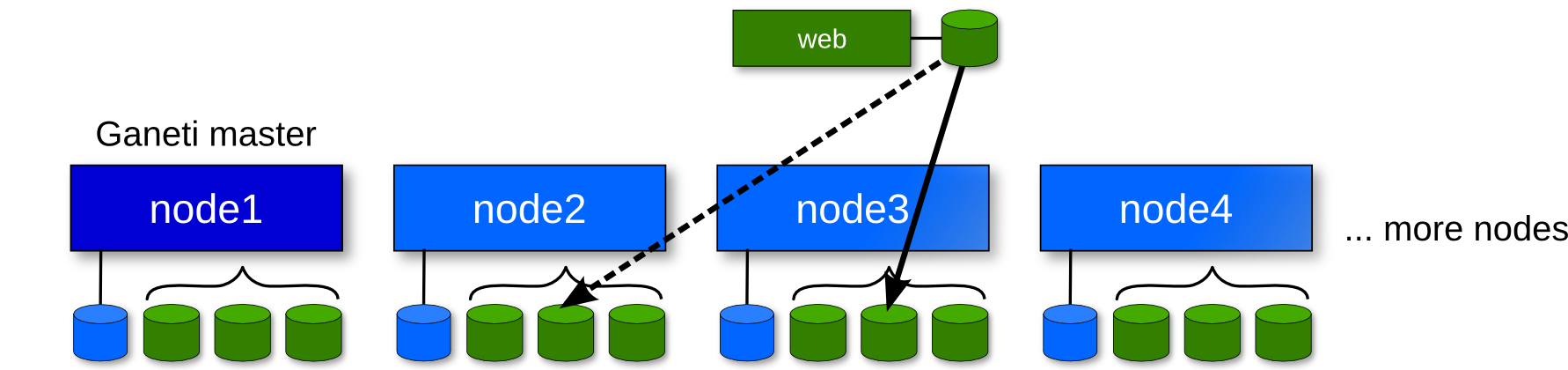
gnt-instance add -t drbd \
  {-n node3:node2 | -I hail } \
  -o debootstrap+default web
ping i0
ssh i0 # easy with OS hooks
Thank You!
Questions?
Survey at https://www.usenix.org/lisa13/training/survey
- © 2010 - 2013 Google
- Use under GPLv2+ or CC-by-SA
- Some images borrowed / modified from Lance Albertson and Iustin Pop
- Some slides were borrowed / modified from Tom Limoncelli
